One app for every TV in your house.
Control your Apple TV, Samsung TV, Roku and more from your Mac. Keyboard shortcuts, room grouping, app launching, volume control all from the menu bar.
macOS only. Visit this page on your Mac to download.
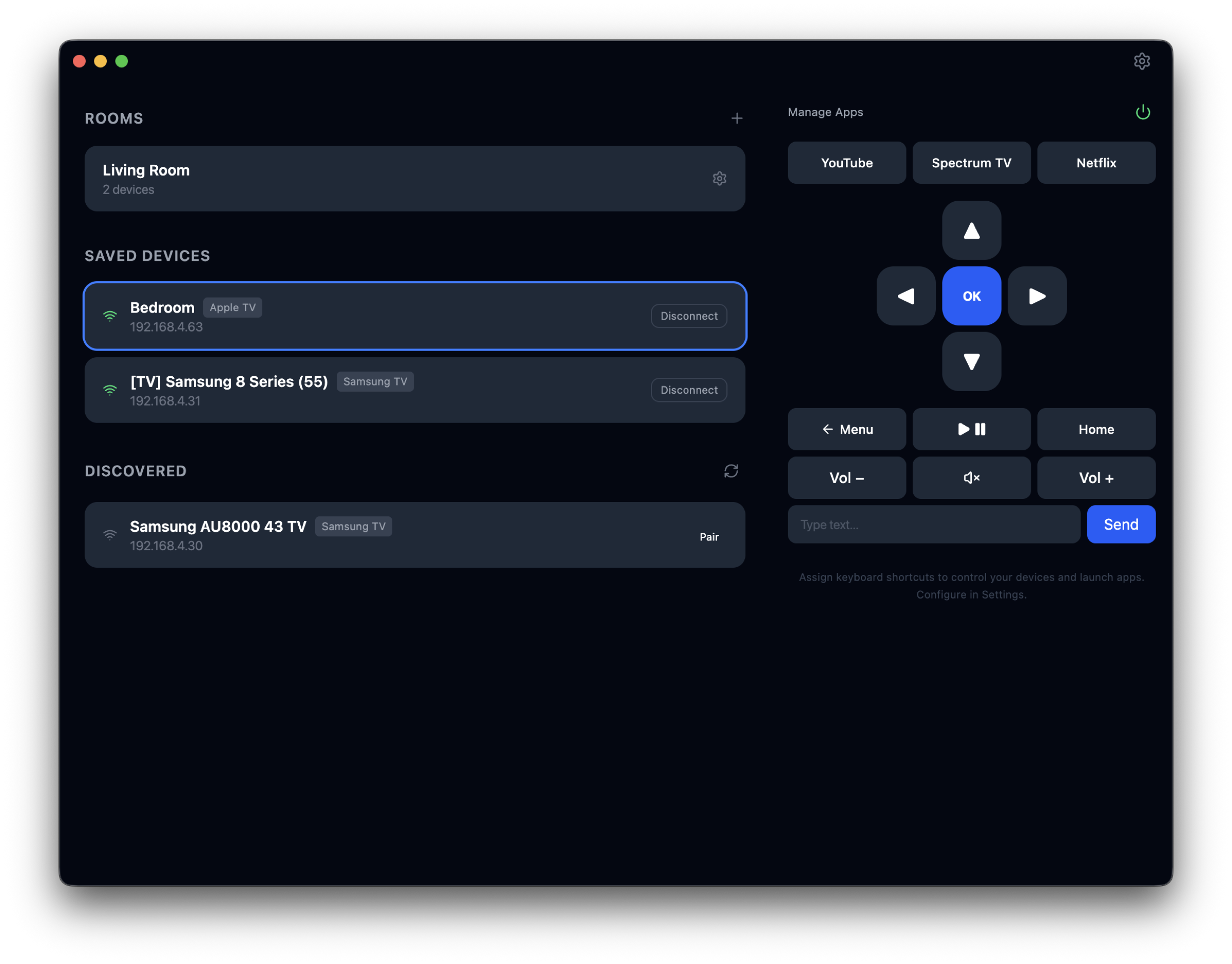
How it works
Discover your devices
We scan your network and find your TVs and streaming devices automatically.
Pair once
Pair with each device you want to control. After that it's saved and all you need to do is connect.
Control everything
Click on a saved device and a remote appears with d-pad, volume, playback, app launching and more.
Features
Control from your Mac
Volume, playback, navigation, power, channels. Control everything on your TV and media devices straight from your MacBook.
Switch devices instantly
Jump between your Apple TV, Samsung TV, Roku or any other device with a single click. Every device gets its own remote.
Global keyboard shortcuts
Assign custom hotkeys to any functionality like volume, playback, navigation or app launching. Choose your modifier keys and it works from any app.
Rooms
Group one media device with any number of TVs into a room. Volume and power go to the TVs, navigation goes to the media device.
App favorites
If your device supports app discovery we'll show them and let you pin favorites to the remote for one-click launching.
Menu bar remote
Click the icon in your menu bar to open a quick-access display of your devices and remotes. Click away to dismiss.
Device support
I don't have every device out there so if yours is listed as supported, give it a try and how it goes. Your feedback helps me confirm what works and fix what doesn't.
| Device | Status | Features |
|---|---|---|
| Apple TV | Tested | Navigation, playback, volume, apps, keyboard input |
| Samsung TV | Tested | Navigation, playback, volume, apps, power |
| Roku | Supported | Navigation, playback, volume, apps, power |
| LG TV | Supported | Navigation, playback, volume, apps, power |
| Sony TV | Supported | Navigation, playback, volume, apps, power |
| Vizio TV | Supported | Navigation, playback, volume, power |
| Android TV | Supported | Navigation, playback, volume, apps |
| Chromecast | Supported | Navigation, playback, volume |
| Hisense TV | Supported | Navigation, playback, volume, apps, power |
| Philips TV | Supported | Navigation, playback, volume, apps, power |
Pricing
- All devices
- Unlimited rooms
- Global keyboard shortcuts
- Free updates
macOS only. Visit on your Mac to download.
Try it out
Download for MacmacOS only. Visit this page on your Mac to download.
FAQ
What devices are supported?+
Apple TV, Samsung, LG, Sony, Vizio, Hisense, Philips, Roku, Android TV, Chromecast and more. See the full list above.
Do I need to be on the same Wi-Fi network?+
Yes. Your Mac and your devices need to be on the same local network for discovery and control to work.
What if my device isn't working?+
Some devices need network remote access enabled in their settings. Check the device setup guide for specific instructions. If you're still having trouble, reach out and I'll help you get it working.
Does it work when the app isn't focused?+
Keyboard shortcuts work globally from any app. The menu bar remote is always one click away.
Is there a free trial?+
Yes. Remote ATV is free for 7 days with full access to all features.